Cleaner for iPhone
Cleaner for iPhone is an app that frees up space on the phone: smart cleaning of photos, videos, contacts and calendar, a private vault and step-by-step cleaning guides, with a Pro subscription.
UX/UI for the iOS app in a light and a dark theme: the main screen, smart cleaning, photo, contact and calendar cleanup, the private vault, nine versions of the Pro paywall, the rating prompt and the guides.
A phone cleaner for iPhone
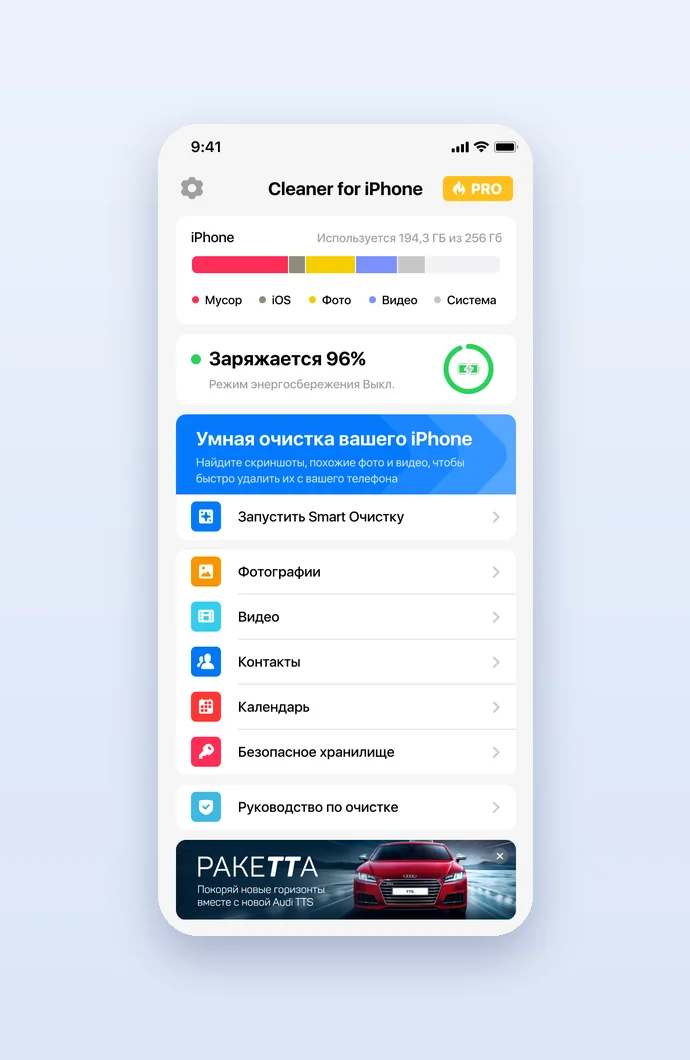
Cleaner for iPhone frees up space on the phone. Its main screen shows how the storage is split between junk, iOS, photos, video and the system, the battery status and a banner that starts smart cleaning, above the sections for photos, videos, contacts, calendar, secure storage and a cleaning guide; a Pro badge sits next to the name. We designed the app in a light and a dark theme, in Russian and English.
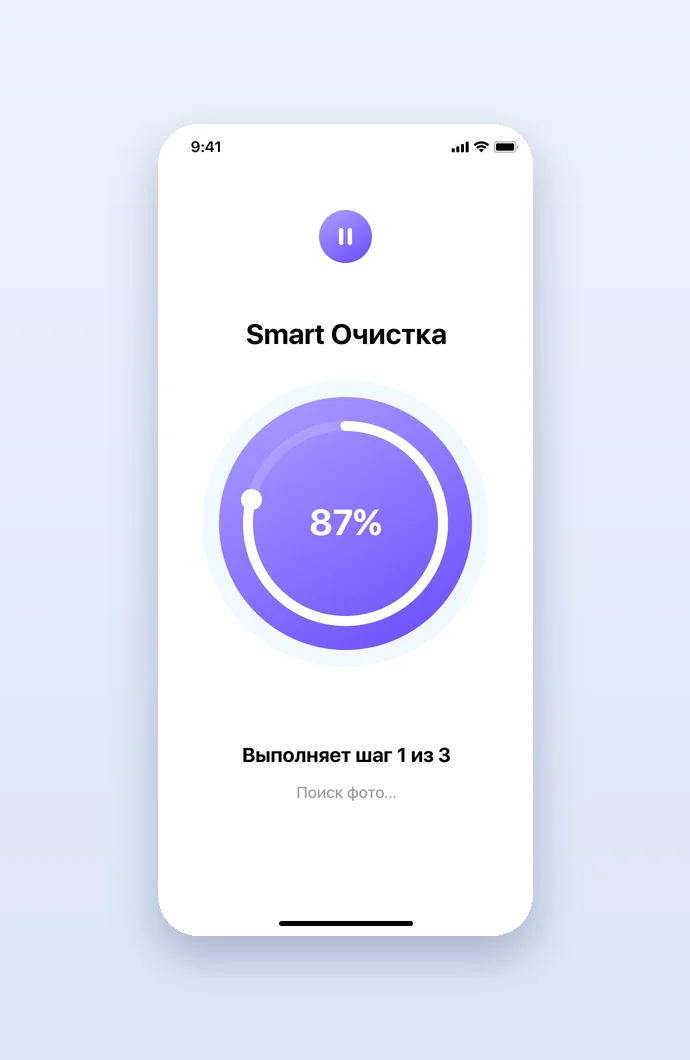
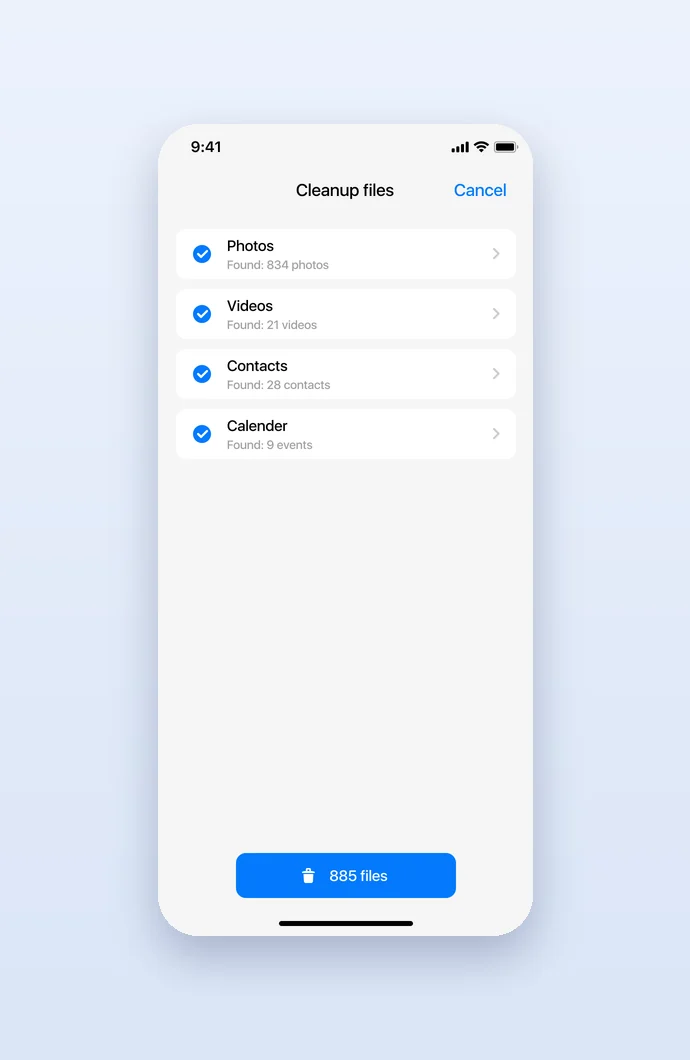
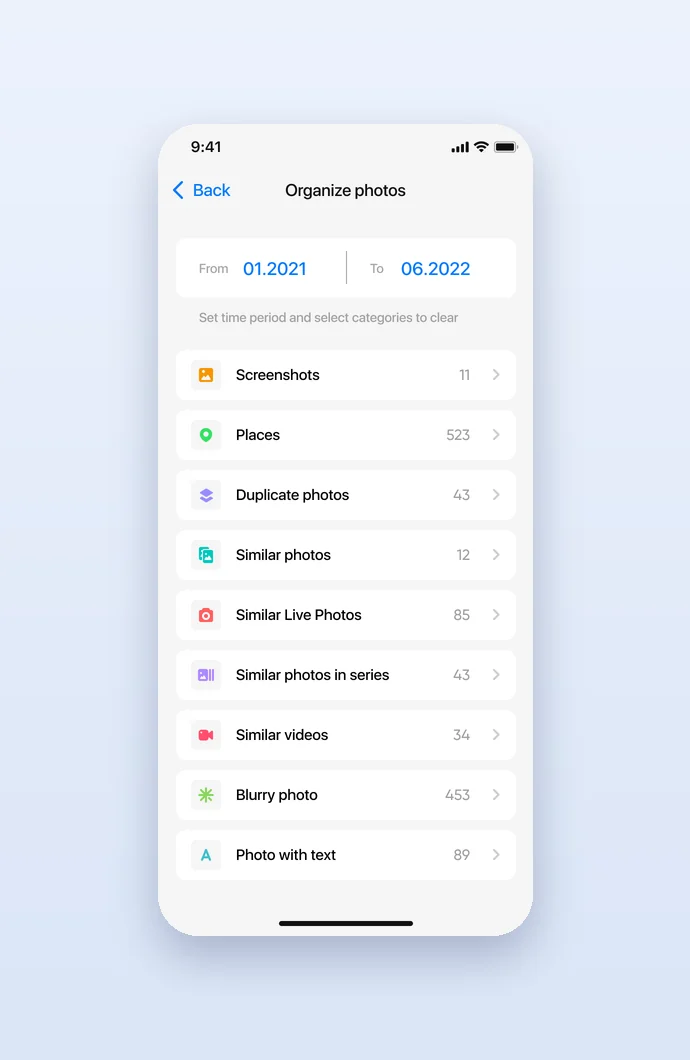
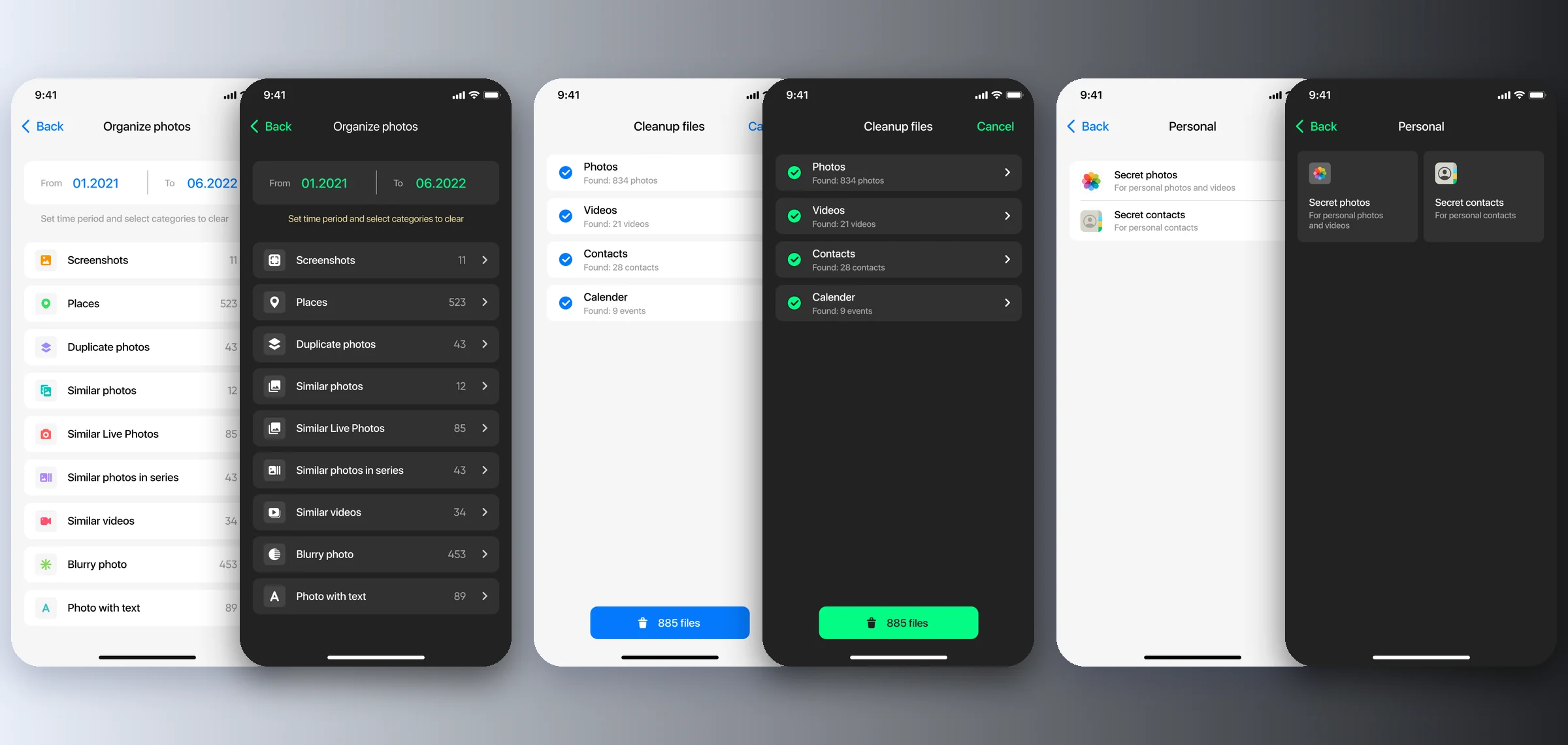
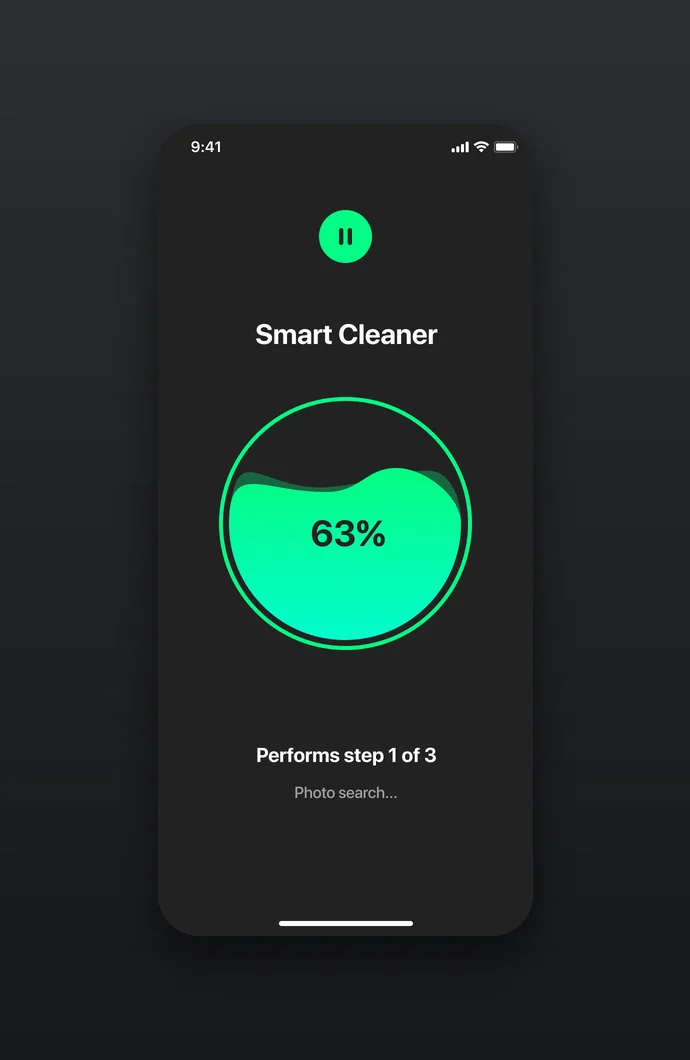
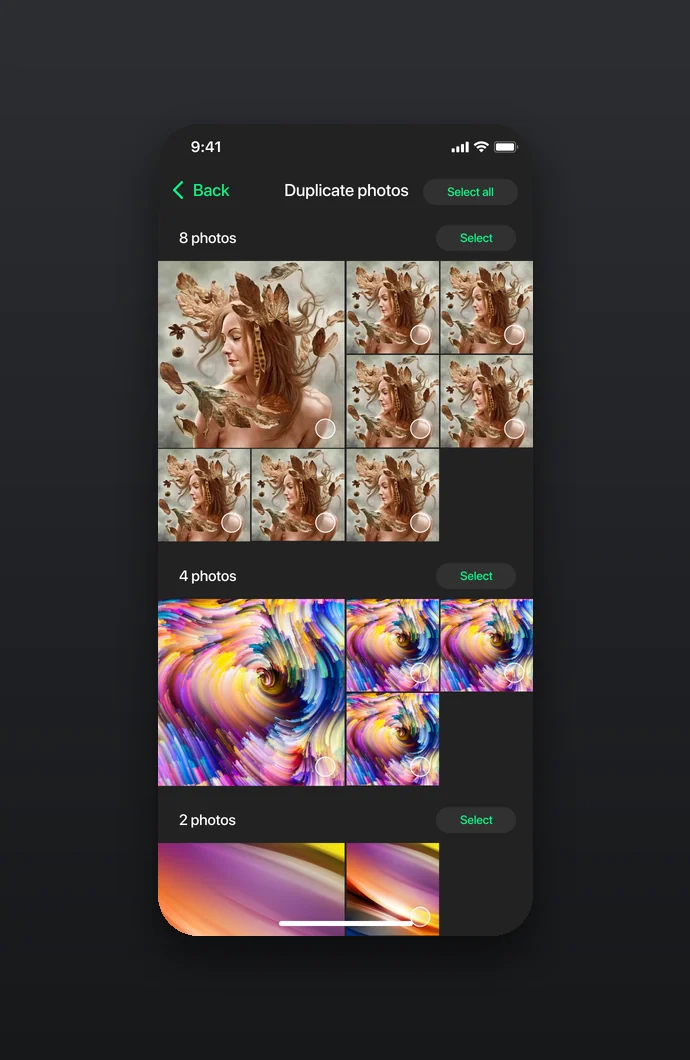
Smart cleaning runs in three steps around a progress ring and ends with a list of what can go: photos, videos, contacts and calendar events found, with one button to delete them all. Photos can also be sorted by hand: set a period and choose screenshots, places, duplicates, similar photos, live photos, series, similar videos, blurry photos or photos with text.
Contacts, calendar and a private vault
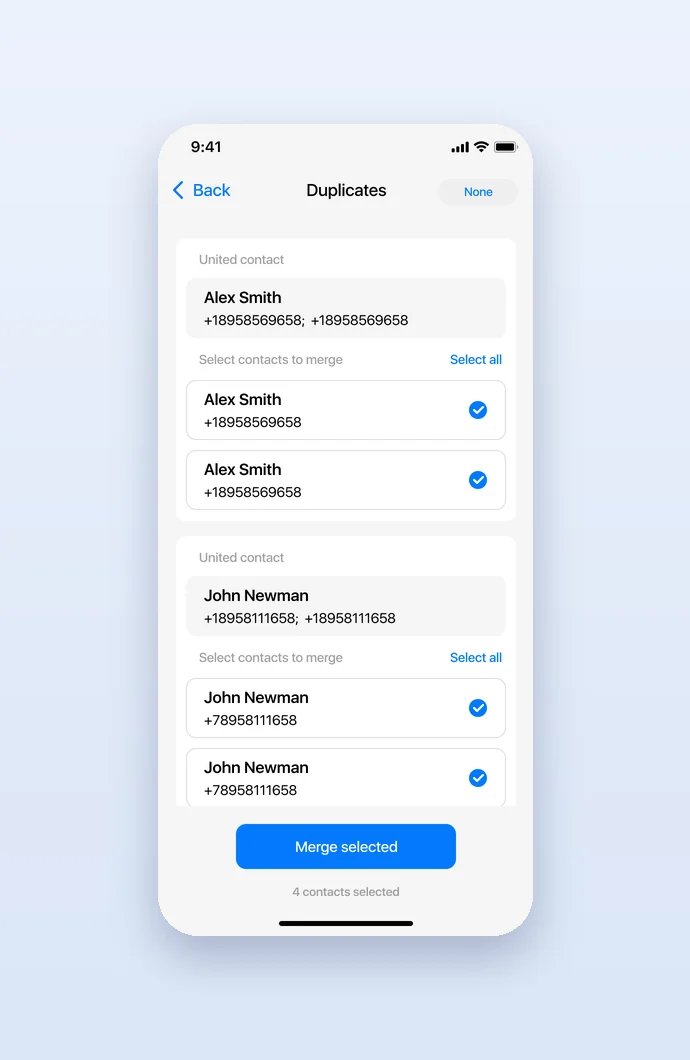
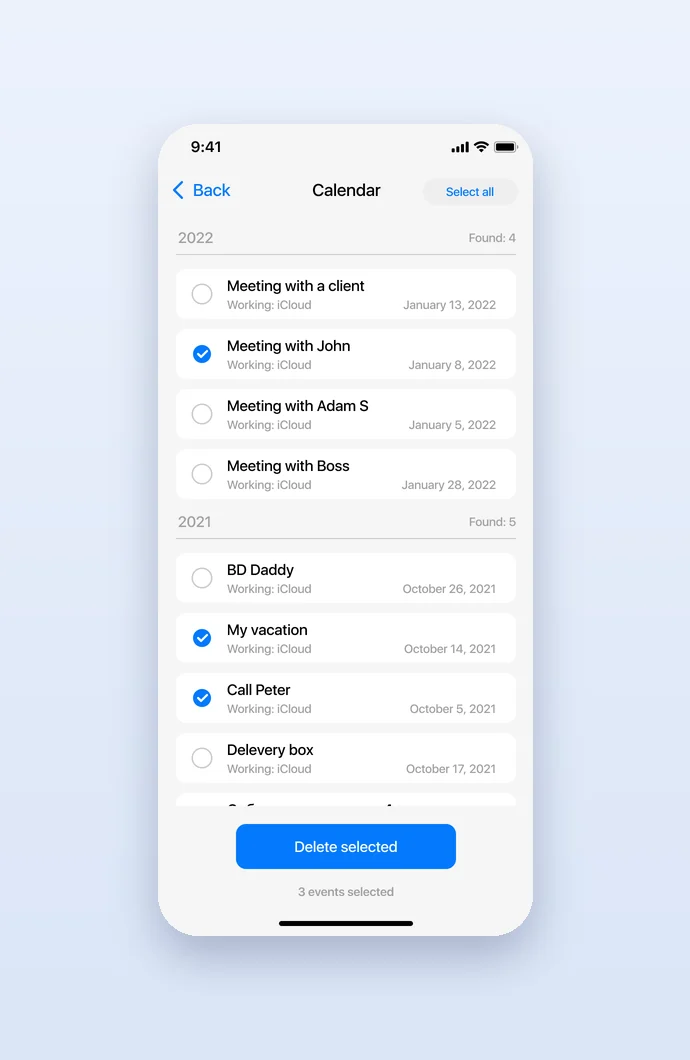
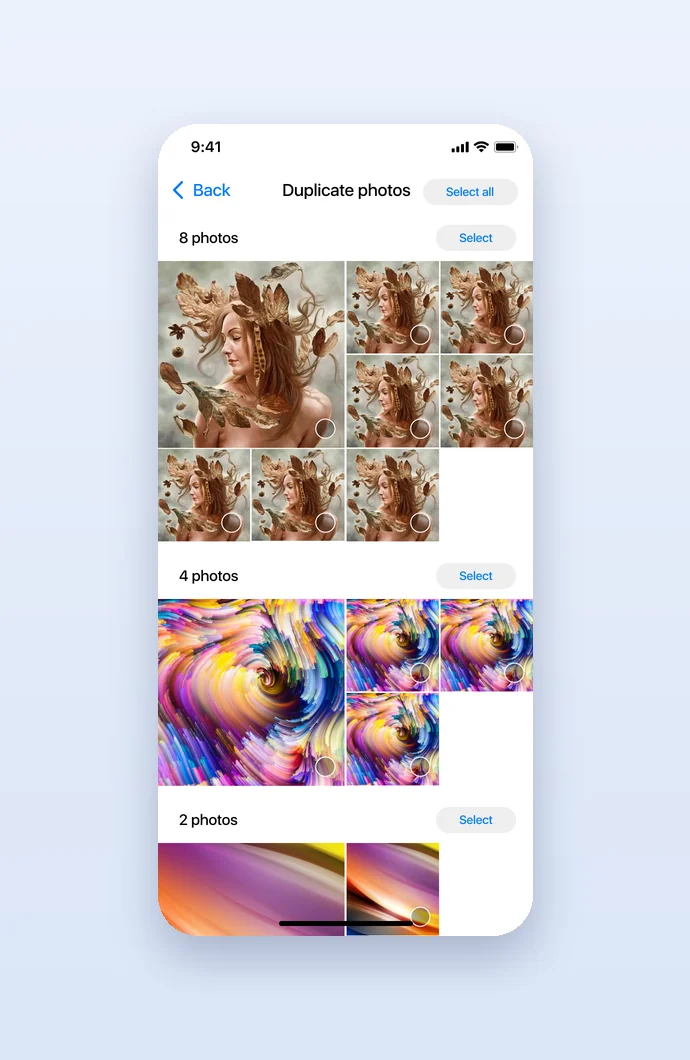
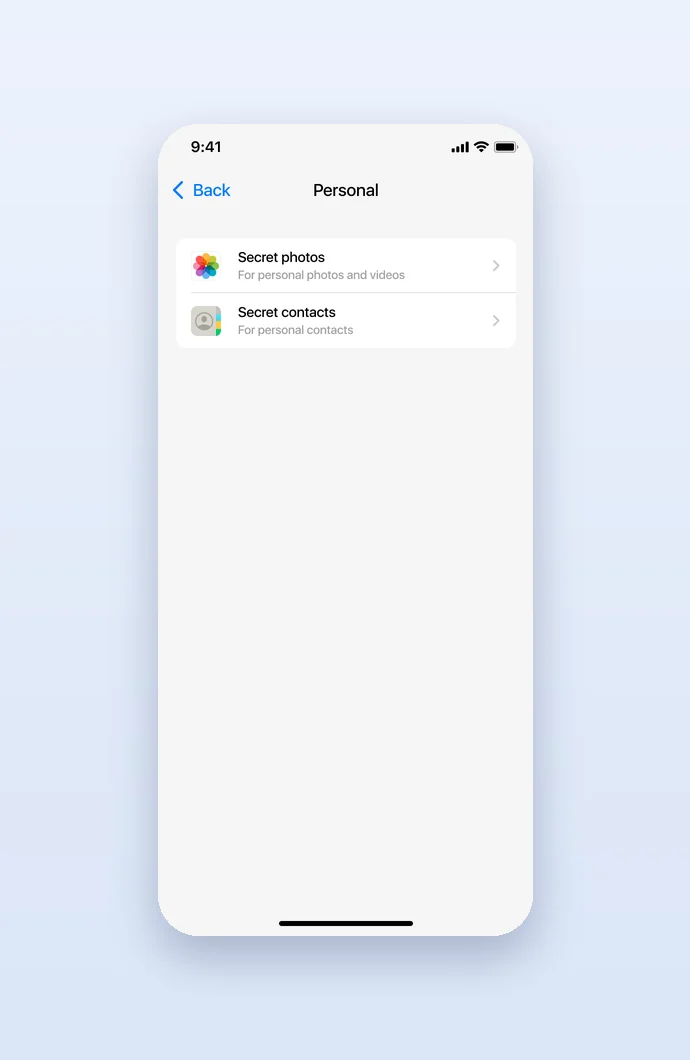
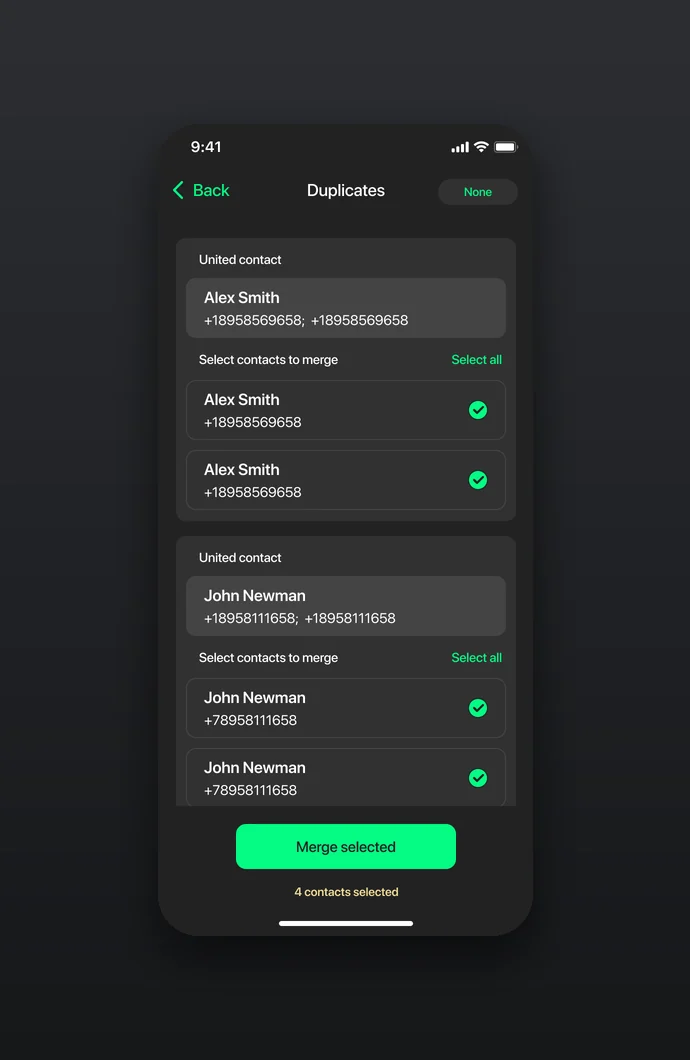
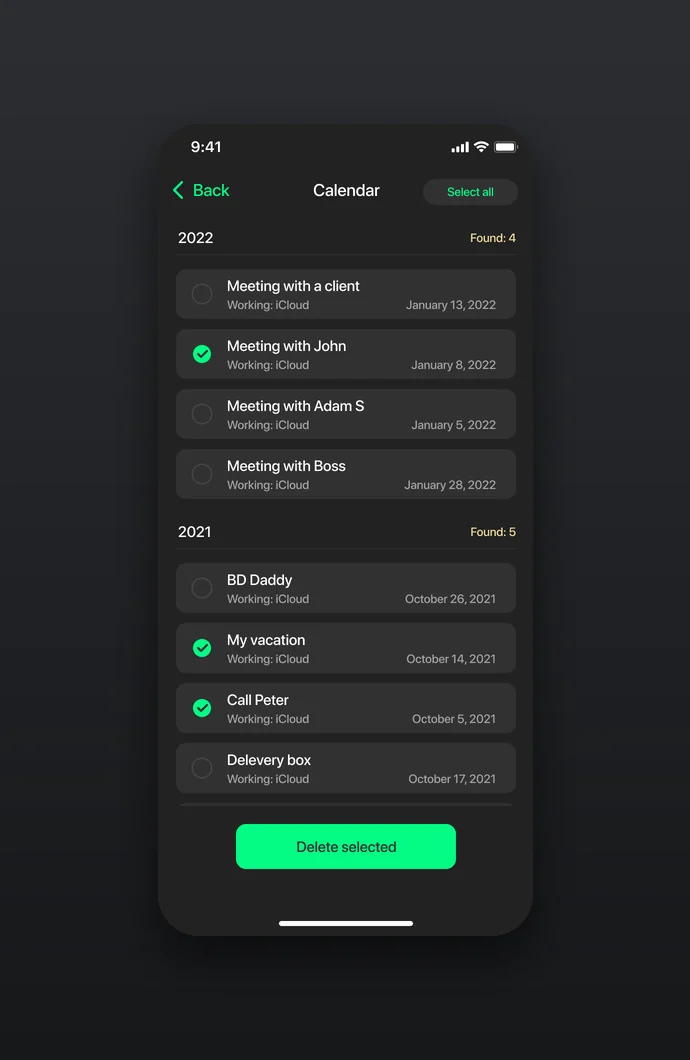
Contacts get a backup, duplicates that merge into one united contact and a list of incomplete entries; the calendar lists old events by year to select and delete; duplicate photos come in groups to select. The Personal section keeps secret photos and videos and secret contacts behind a password, with settings to remove imported files from the gallery, change the password and restore purchases.
Light and dark themes
Every screen exists in two themes: white with blue accents and red, orange and green category icons, and near-black with mint green for actions and progress. The layouts stay the same, so the user finds every list, count and button in its place whichever theme the phone uses.
Pro paywalls in nine versions
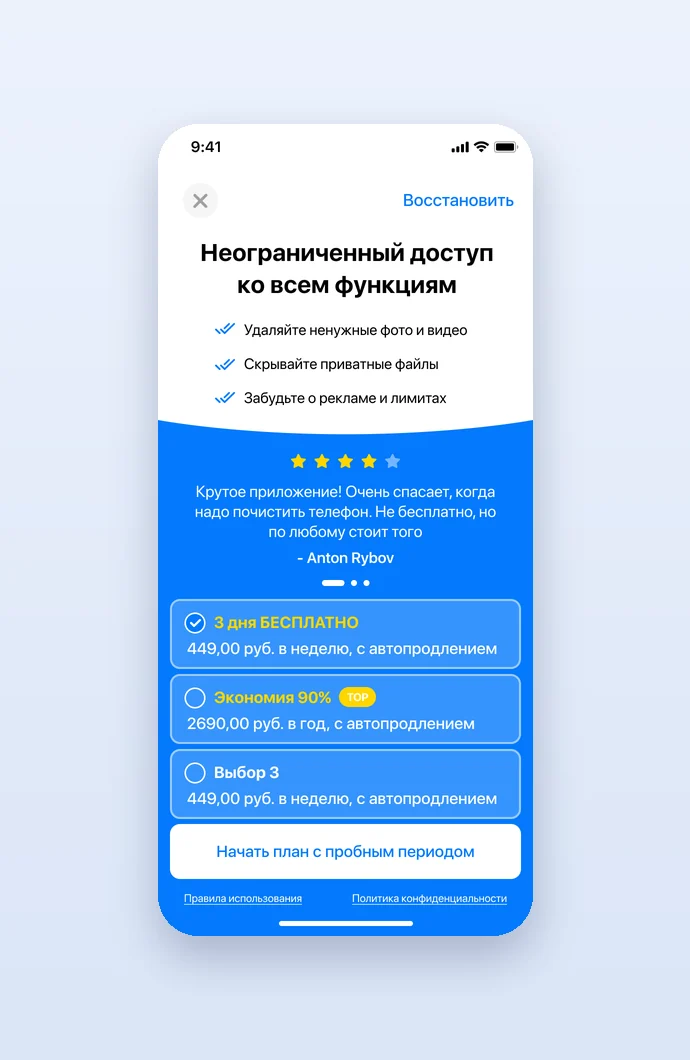
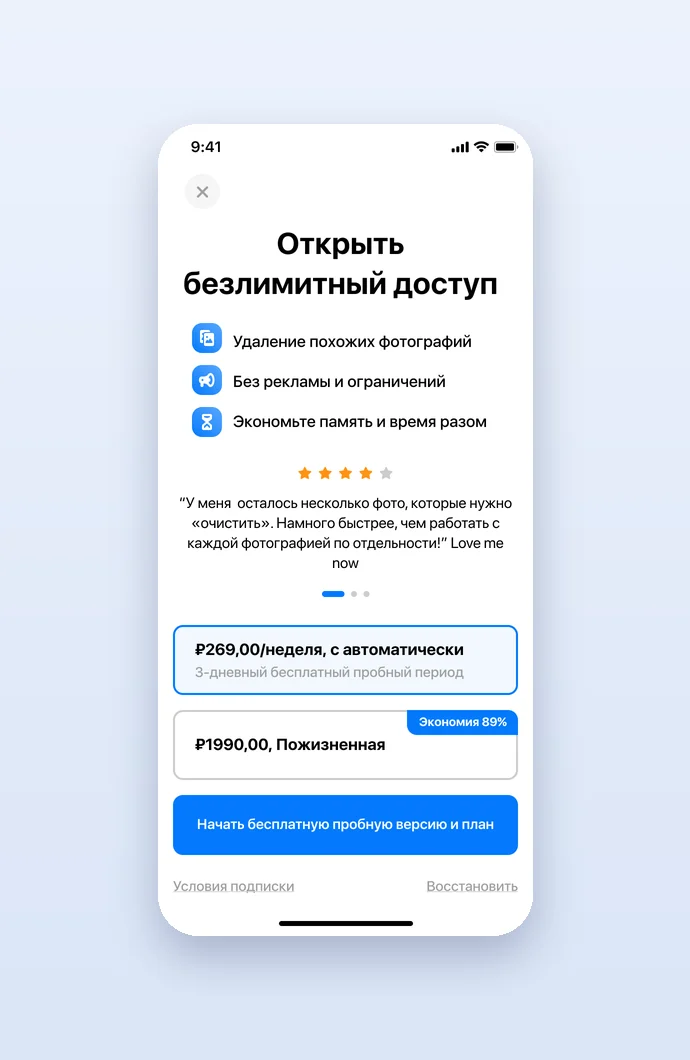
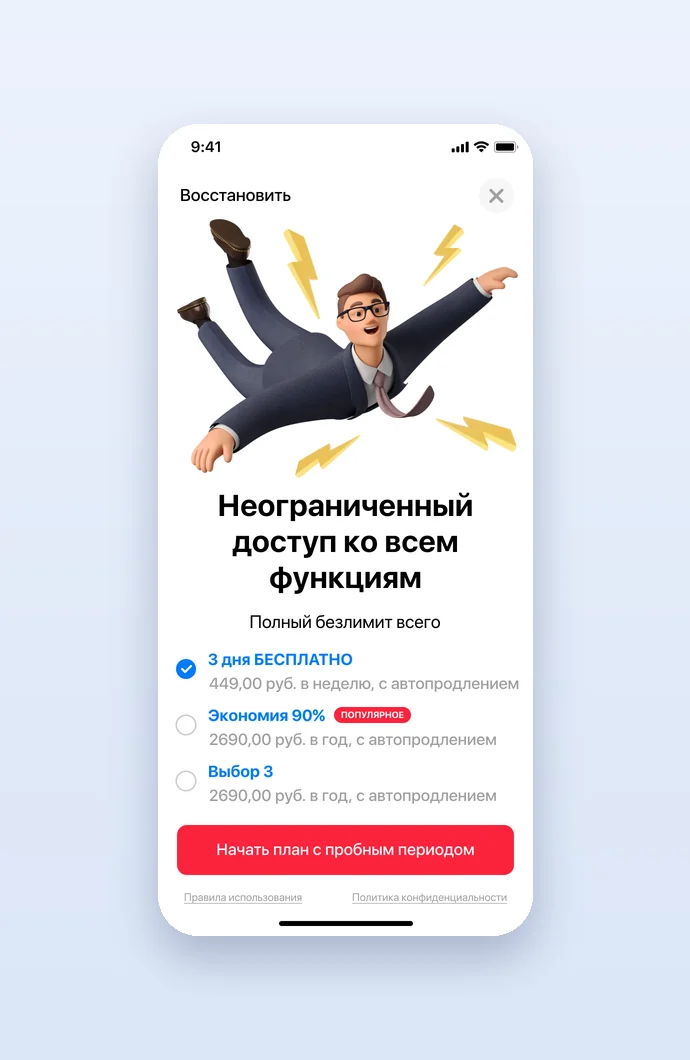
The Pro offer was drawn in nine versions to test: unlimited access to all features, no ads or limits, hidden private files and removal of unwanted photos and videos, with a free trial, weekly, yearly or lifetime plans and user reviews with stars, set on a blue screen, over a photo or around an illustration.

Ratings and cleaning guides
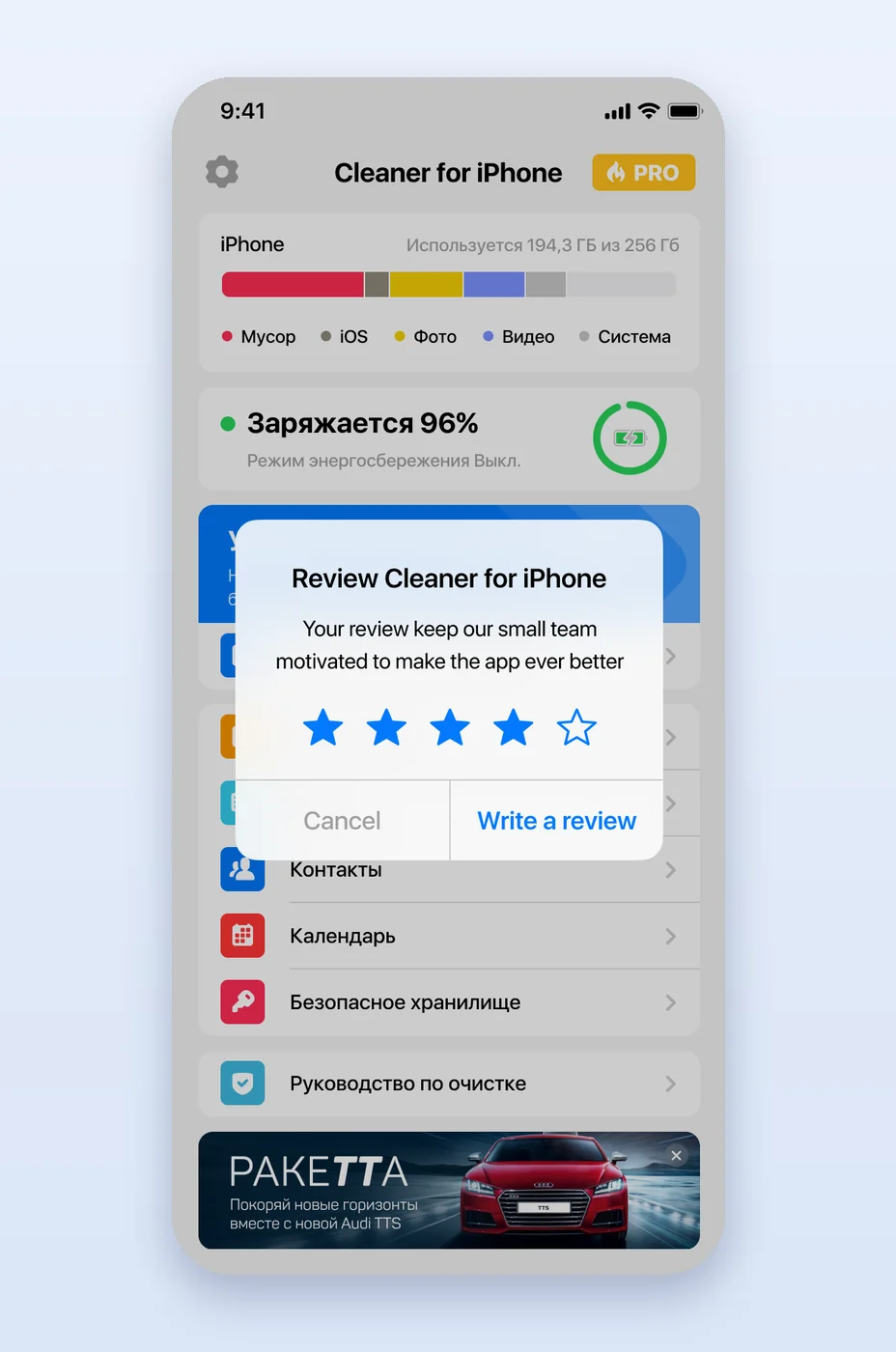
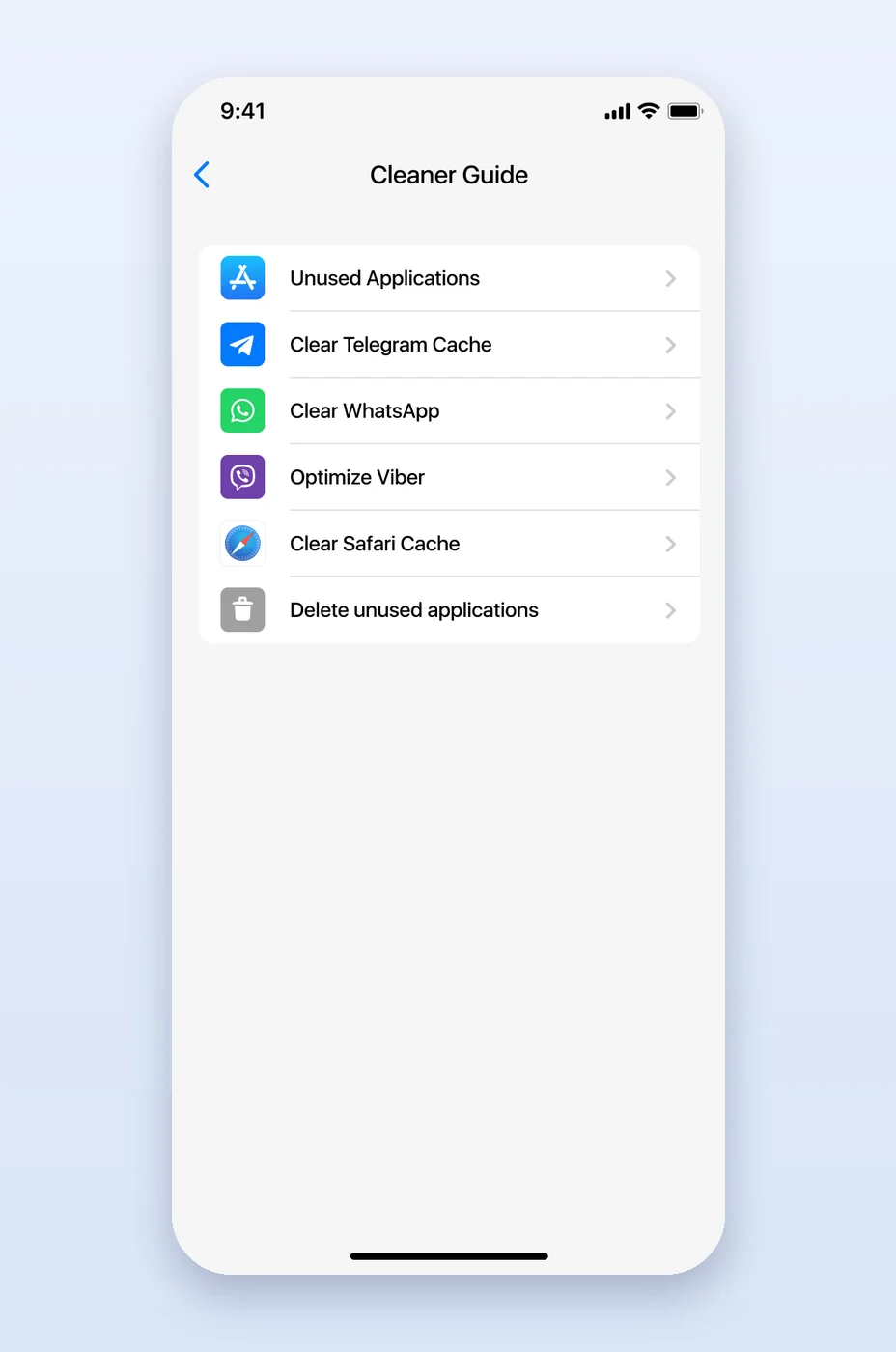
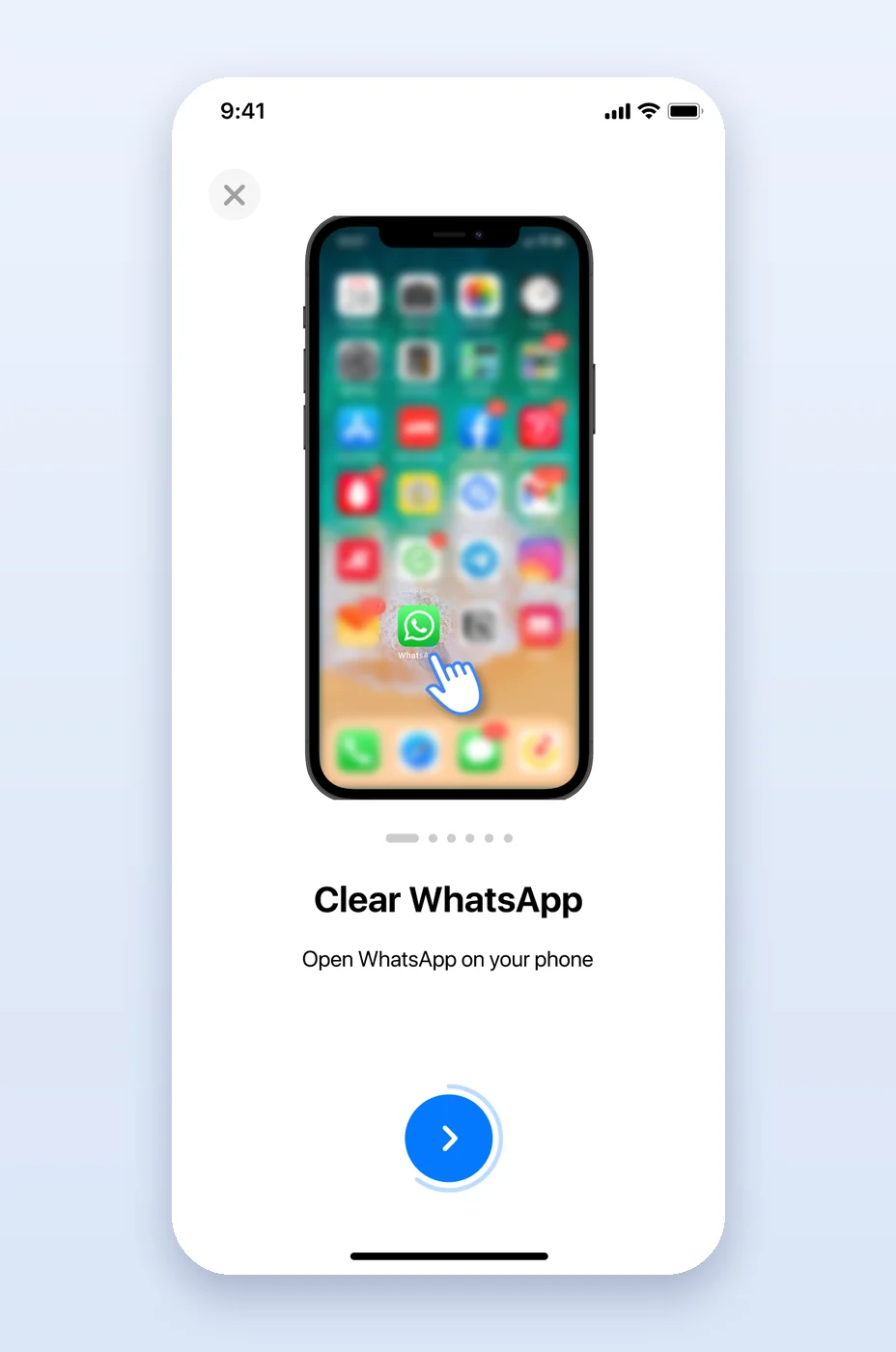
A rating prompt asks for stars over the main screen and leads to a review or to feedback. The cleaning guide walks through what the app cannot do by itself, step by step on an iPhone drawing with taps: offloading unused apps, clearing the Telegram and Safari caches, clearing WhatsApp, optimising Viber and deleting unused applications.
Project facts
- Client
- Cleaner for iPhone, a phone cleaning app with a Pro subscription
- Industry
- Mobile utilities
- Platform
- iOS (iPhone), light and dark theme, Russian and English
- Services
- Mobile app UX/UI design
- Deliverables
- Main screen; smart cleaning with progress and results; photo cleanup by period and category with duplicate groups; contacts with backup, duplicates and incomplete entries; calendar cleanup; private vault with password and settings; nine Pro paywall versions; rating prompt; cleaning guides for apps, Telegram, WhatsApp, Viber and Safari; FAQ; all screens in a light and a dark theme
- More work in
- Mobile Applications
Questions about this project
What is Cleaner for iPhone?
An app that frees up space on an iPhone. It finds photos, videos, contacts and calendar events that can go, merges duplicate contacts, keeps private photos and contacts in a password-protected vault and explains how to clear the caches of other apps, with a Pro subscription for unlimited access.
What did thelegacy design for Cleaner for iPhone?
The iOS app in a light and a dark theme, in Russian and English: the main screen, smart cleaning and its results, photo, contact and calendar cleanup, the private vault and its settings, nine versions of the Pro paywall, the rating prompt, the cleaning guides and the FAQ.
How does smart cleaning work in the app?
It runs in three steps around a progress ring, searching photos and other data, and ends on a list of photos, videos, contacts and calendar events it found, which the user reviews and deletes with one button.
Why does the app have nine paywall versions?
To test which presentation of the Pro subscription works best: the versions mix a blue screen, a photo or an illustration with the feature list, the free trial and plans, and user reviews.