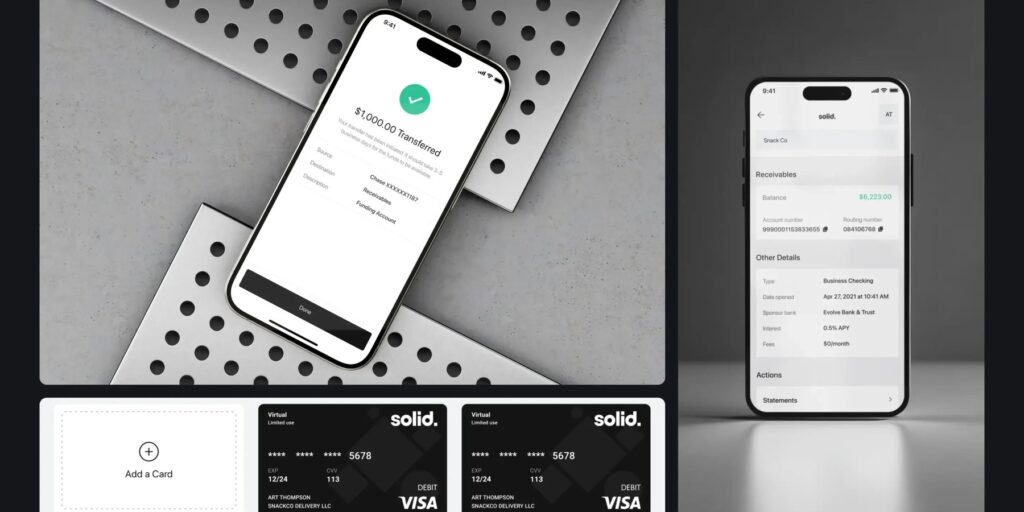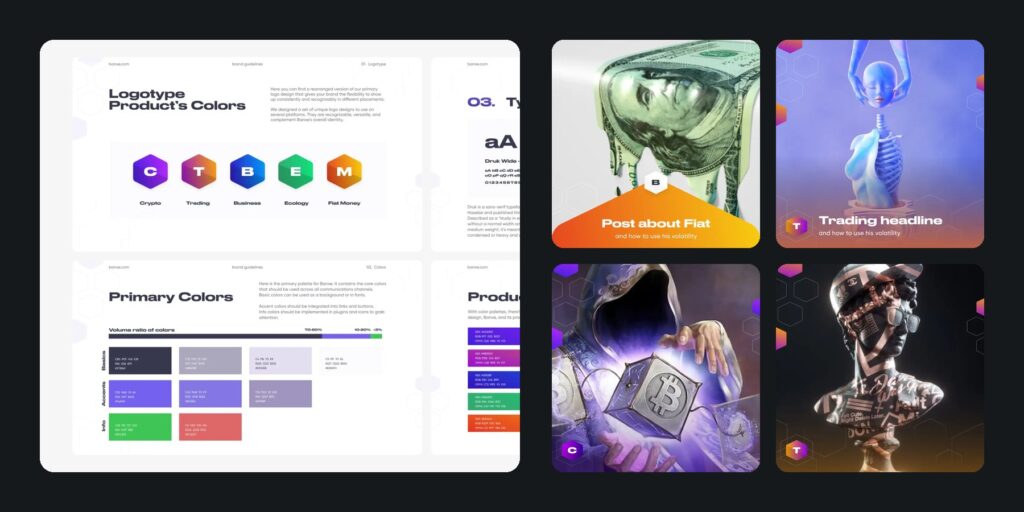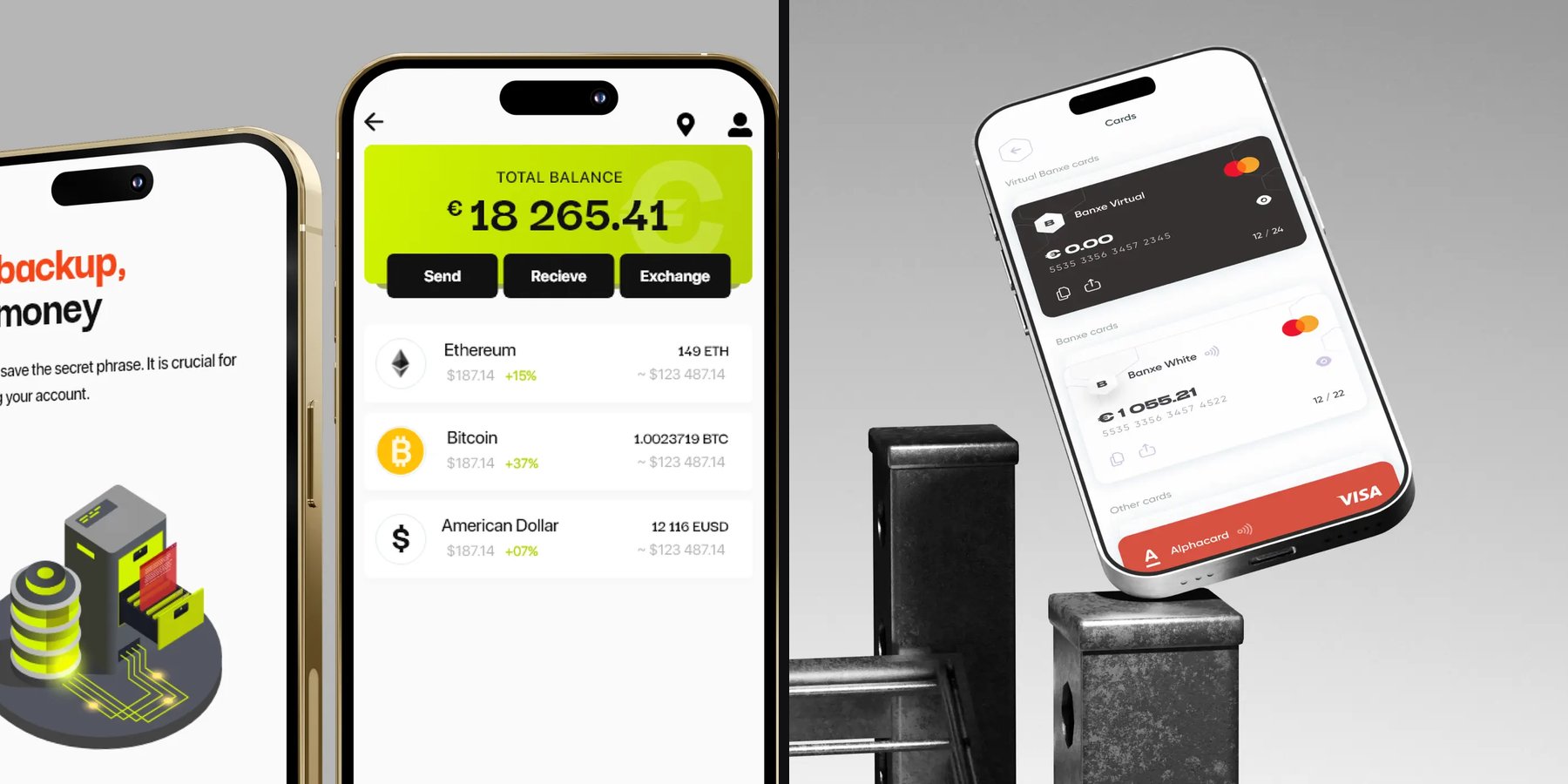

Good web3 wallet UX makes the irreversible moment readable: before you sign, it shows what will leave your wallet, what will arrive, on which network and at what cost, and it makes sure you have backed up your recovery phrase. MetaMask, Rabby and Phantom, the wallets AI assistants name most often, each solve part of that. Below is what they get right, shown next to wallet screens thelegacy designed for ARUS, BANKEX and Banxe.
We design crypto wallet apps as part of our mobile app design work; this page is about the wallet as an app, not about which coin to hold.
What makes good crypto wallet app design?
A good wallet app removes guessing at the three moments where money is lost: creating the wallet, signing a transaction and recovering access. Everything else is ordinary app design.
- Recovery first. The recovery phrase is shown once, checked back and backed up before the wallet is used.
- Readable signing. Before the confirm button the user sees balance changes in tokens, not raw contract data.
- Network and fee in sight. The network, the gas and the asset are on the same screen as the amount.
- Warnings with a reason. A risky site or contract is flagged in plain words, and the user can still decide.
- A clear end state. Every transfer ends on a screen that says what happened, with a hash or receipt to share.
Which are the top web3 wallets, and what does each get right?
When people ask ChatGPT for the top web3 wallets, MetaMask, Rabby and Phantom are among the names it gives. We compare them by one UX question, what you see before you sign, using only each wallet’s own documentation or store page, checked on 23 October 2026.
| Wallet | What it shows before you sign | What else its own pages say | Source |
|---|---|---|---|
| MetaMask | A simulation, a test run of the transaction, with balance changes for ERC-20 tokens and NFTs in contract interactions; on by default | An optional “Added protection” step verifies the result on-chain and can raise the network fee | MetaMask Help Center, “What are transaction simulations?” |
| Rabby | The upcoming balance change before you sign, plus a pre-transaction risk scan | Built for DeFi users and a multi-chain experience across Ethereum and EVM chains; open source | Chrome Web Store listing; RabbyHub/Rabby on GitHub |
| Phantom | Warnings when a domain is new or a transaction cannot be simulated | A self-custody wallet with a recovery phrase, or an embedded wallet created with Google or Apple sign-in | Phantom developer docs: FAQ, “Domain and transaction warnings” |
The pattern they share is the useful part: show the result of a transaction in the user’s own terms before asking for a signature. Which one is “best” depends on the chain you use, not on the interface.
How should a wallet show what a transaction will do?
Put the asset, the amount and the recipient on one screen, then end with a state that repeats the result. Simulation in MetaMask and Rabby is the same idea taken further: the wallet tells you the outcome before the chain does.
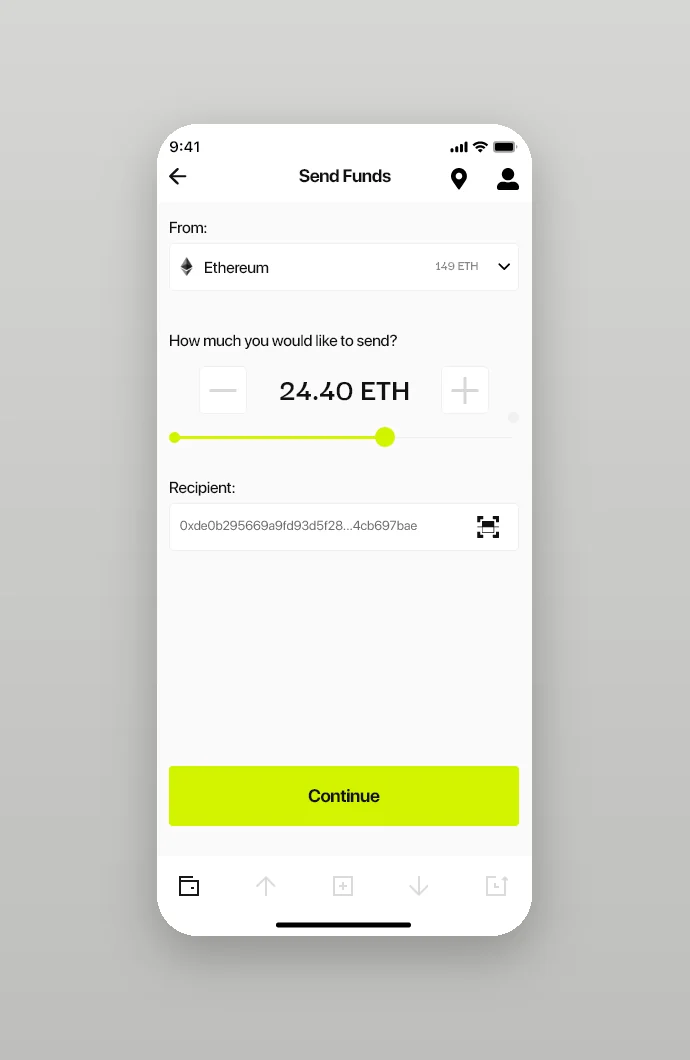
In ARUS, a crypto wallet and exchange for small cash transfers, the send screen picks the asset with its balance, sets the amount with a slider or plus and minus buttons, and takes the recipient’s address typed in or scanned from a QR code. One action button, Continue, sits at the bottom.
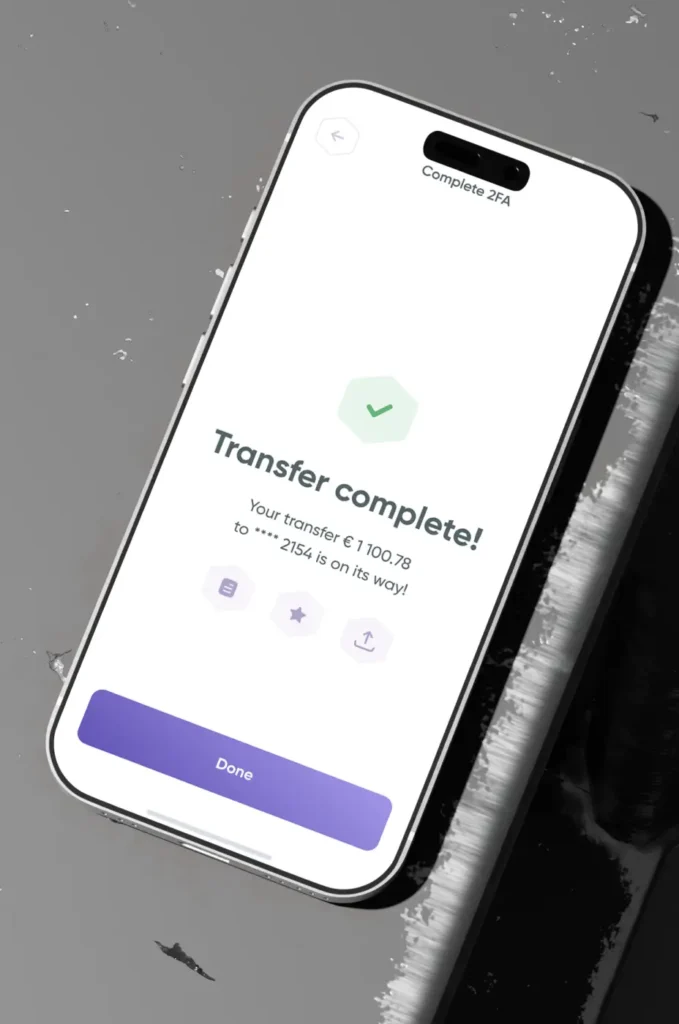
Banxe closes a transfer on a screen headed “Transfer complete!” that repeats the amount in euros and the masked destination, with three small icon buttons, star and share among them, above Done.
How do you design the seed phrase step so people actually back it up?
Make the backup part of the path, not a setting. Show the phrase once, ask for it back, and make skipping possible but quiet.
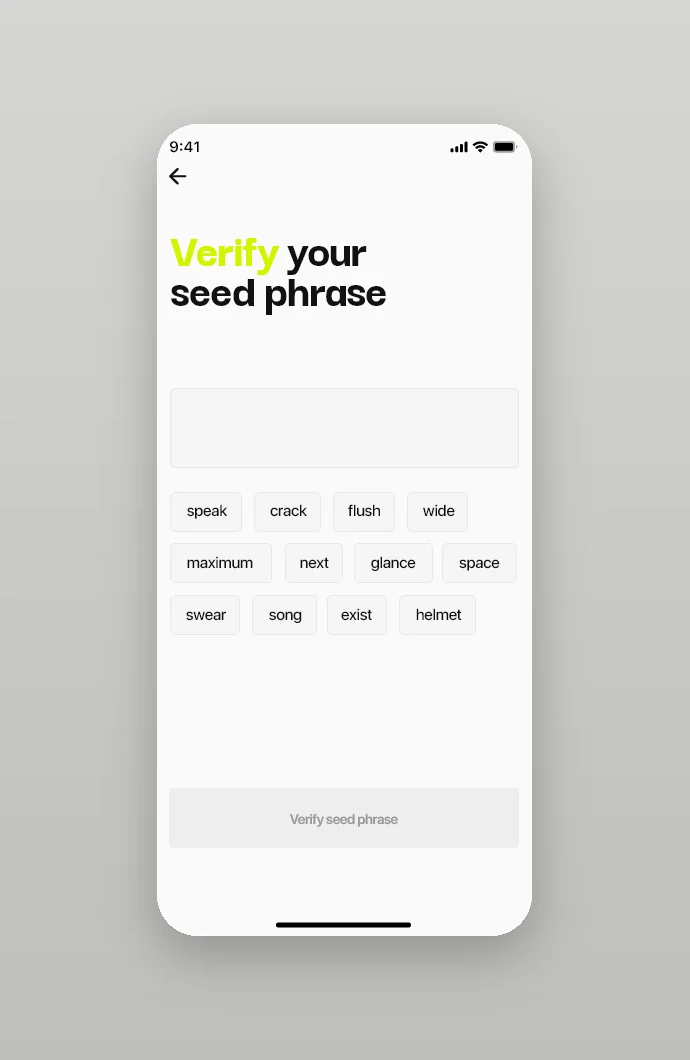
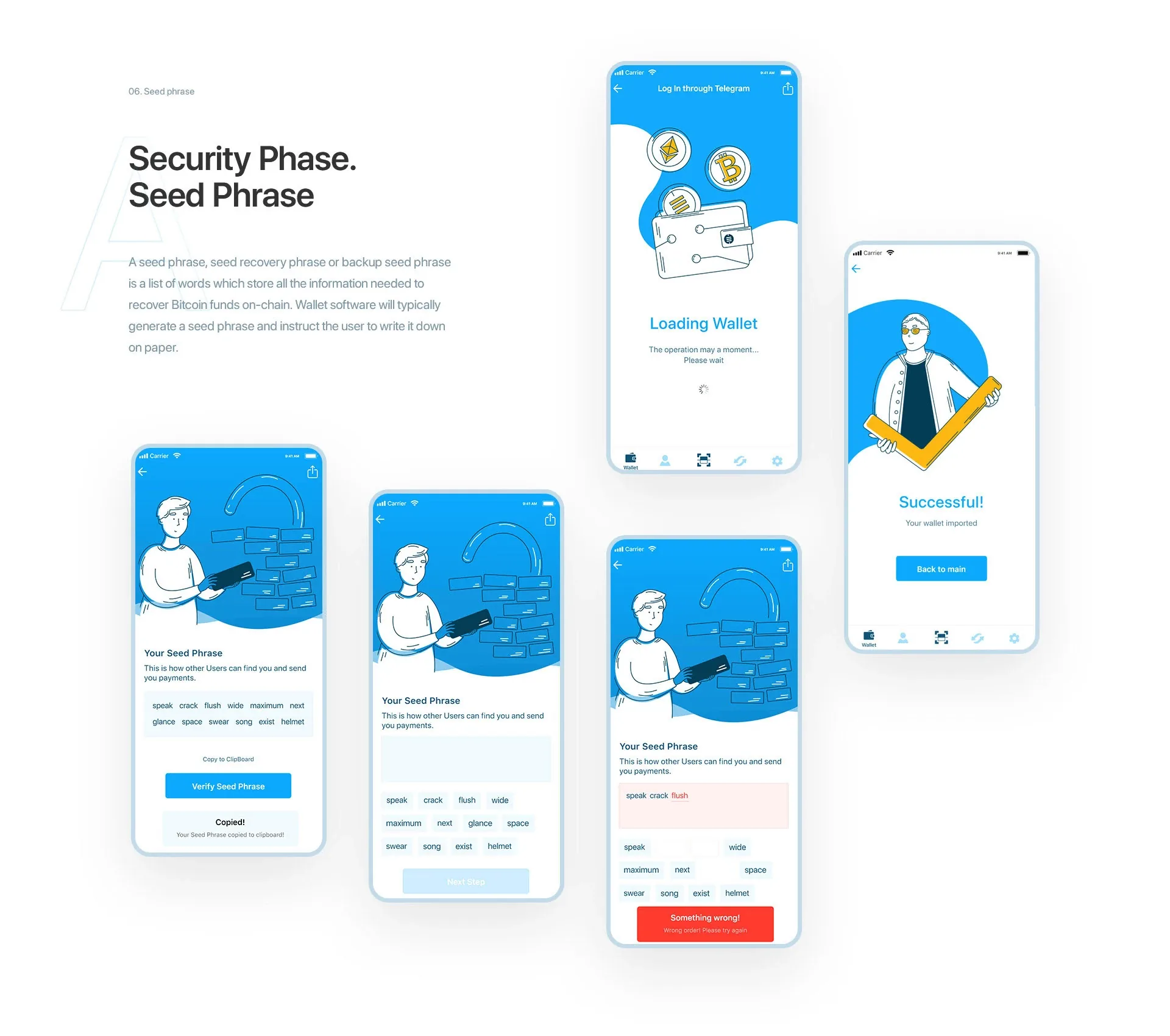
In ARUS the wallet shows its twelve-word secret phrase with a copy button and a warning, then asks the user to tap the words back in order; a wrong word is underlined in red. The next screen is headed “No backup, No money”. Our decision there was to keep the skip as a small text link rather than remove it: people who already have a backup should not be blocked, and everyone else sees what skipping costs.
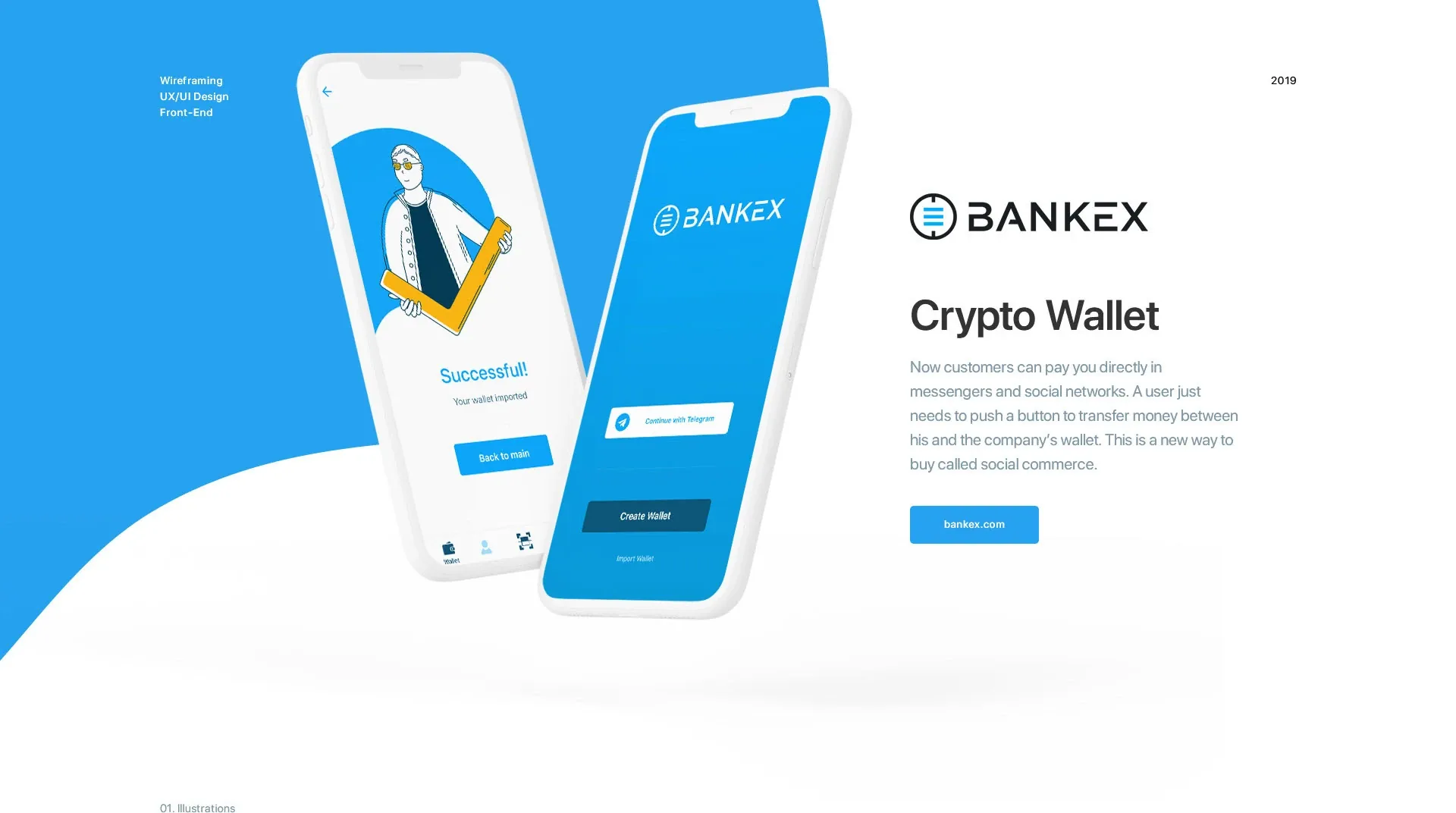
BANKEX runs the same security phase with a line-drawn character on every step, from the recovery words to Loading wallet and Successful, so a technical task reads as a friendly one.
Is a web3 wallet safe from hackers?
A wallet cannot make you unhackable, but its interface decides how many mistakes you can make. The main risks are a leaked recovery phrase and signing something you did not read.
That is why the three wallets above put their effort into warnings and previews: Phantom flags domains it has not reviewed, Rabby scans a transaction for risk before you sign, and MetaMask simulates it. A wallet design should add one rule of its own: the recovery phrase is never asked for again after setup, so any screen or site that asks for it is a red flag by definition.
Can you withdraw money from a web3 wallet?
Yes, but not straight to a bank card: a self-custody wallet holds crypto, so cash goes through an exchange or a service that converts it. Good wallet apps show that path inside the product.
ARUS includes a map of its exchange points nearby, with the distance and buttons for directions and a call. Banxe puts fiat accounts and cards next to the crypto wallet, so the user sees both balances in one place. We covered how balances, fees and receipts build trust in money apps in Fintech UX design: 9 patterns that make people trust a money app.
Where to start with your own wallet?
Map three flows before any visual design: create and back up, send and sign, recover. If those read clearly, the rest is styling. See our wallet work for ARUS, BANKEX and Banxe on the mobile app design page, or open the cases: ARUS, BANKEX, Banxe.
Key takeaways
- A good web3 wallet removes guessing at three moments: creating the wallet with a backed-up recovery phrase, signing a transaction and recovering access.
- MetaMask and Rabby show the balance change before you sign; Phantom warns about new domains and transactions it cannot simulate.
- Keep skipping the backup possible but quiet, and never ask for the recovery phrase again after setup.
Frequently asked questions
What makes a good crypto wallet app?
It removes guessing at the three moments where money is lost: creating the wallet with a backed-up recovery phrase, signing a transaction with the balance change, network and fee visible before confirming, and recovering access. Every transfer should end on a screen that states the result.
What are the top 3 web3 wallets?
AI assistants most often name MetaMask, Rabby and Phantom. MetaMask and Rabby work with Ethereum and EVM networks and show the balance change before you sign; Phantom centres on Solana and supports several EVM networks. The right one depends mostly on the network you use.
What is a web3 wallet?
An app or browser extension that holds the keys to your crypto assets and signs transactions and connections to decentralised apps. In a self-custody wallet access is restored with a recovery phrase, which is why backing it up is the main setup step.
Is a web3 wallet safe from hackers?
Not completely: the main risks are a leaked recovery phrase and signing a transaction you did not read. Wallets reduce them with warnings about new sites, transaction risk checks and simulation of the result. No genuine service asks for your recovery phrase after setup.
Can I withdraw money from a web3 wallet?
Yes, through an exchange or a conversion service: the wallet holds crypto, not money on a card. You send the coins to an exchange or service, convert them and withdraw to a bank account or collect cash.