Can ChatGPT create a pitch deck? AI generators, templates or a designer

Can ChatGPT create a pitch deck? Yes, as a first draft: it can outline the story, write slide text and, through OpenAI’s ChatGPT for PowerPoint add-in, build editable slides from your material. What it cannot do on its own is know your numbers, show your real product or make the deck look like your company. Below is when an AI generator, a template or a designer fits, with slides from decks thelegacy designed for AYA, dEquity and Flex.
We design investor decks as a pitch deck design service, so read this as a practical split of the work, not a verdict against AI tools.
Can ChatGPT create a pitch deck?
ChatGPT can produce a usable draft: a slide order, headlines, short copy for each slide and speaker notes. OpenAI’s help article on ChatGPT for PowerPoint, checked on 24 October 2026, describes an add-in that sits in the PowerPoint sidebar, creates a first draft from source material, adds or revises slides in an existing deck and keeps the slides editable.
The limits come from what it is given. If your traction, market sizing and round details are not in the prompt, the model will either leave gaps or fill them with plausible text, and a plausible number is the most dangerous thing a deck can contain. Treat its output as a structured first draft that a founder must check line by line.
Which AI is best for pitch decks, and how do the options compare?
There is no single best tool; each solves a different part of the job. ChatGPT is strongest at the words, Gamma at turning text into laid-out pages quickly, Canva at editing a ready-made template. A designer is the option for a deck that has to carry your brand and real product. Facts about the tools below are from their own pages, checked on 24 October 2026.
| Option | What it does well | What stays on you | Formats |
|---|---|---|---|
| ChatGPT | Story, slide order, headlines and notes; with the PowerPoint add-in, editable slides from your source material | Every number, the visual system, product screens | PowerPoint via the add-in |
| Gamma | A laid-out presentation from a prompt or text in minutes | Brand fit; layout cleanup after export | PDF, PPTX and PNG on all plans, with a “Made with Gamma” watermark on the free plan; Google Slides by importing the PPTX |
| Canva templates | Thousands of editable pitch deck templates that follow the usual structure, some with sample charts | Replacing the template’s look with yours; some templates are Pro only | Edited in Canva’s drag-and-drop editor |
| Designer | A deck built from your brand and product, with data shown so investors can follow it | The content and the numbers, as always | The format your team presents from, plus a PDF to send |
What will an AI tool or template not do for your deck?
It will not make the deck look like the product investors will later open. That is the gap a designer closes, and you can see it on real slides.
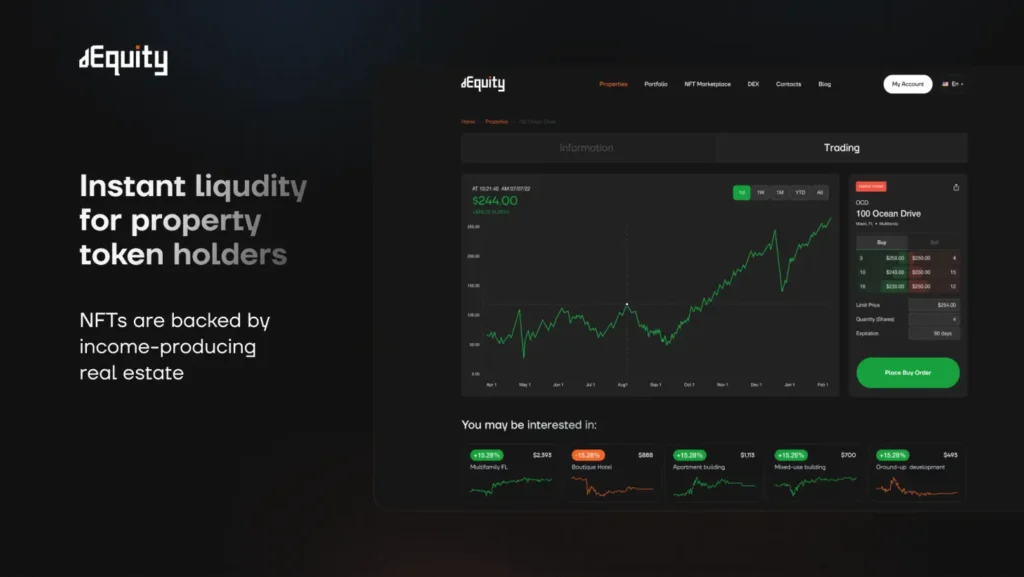
The dEquity deck, for a platform that tokenizes income-producing real estate, puts real platform screens beside one short claim each. On the slide below, the line about instant liquidity for property token holders sits next to the actual trading view: a price chart, an order panel and a Place Buy Order button.
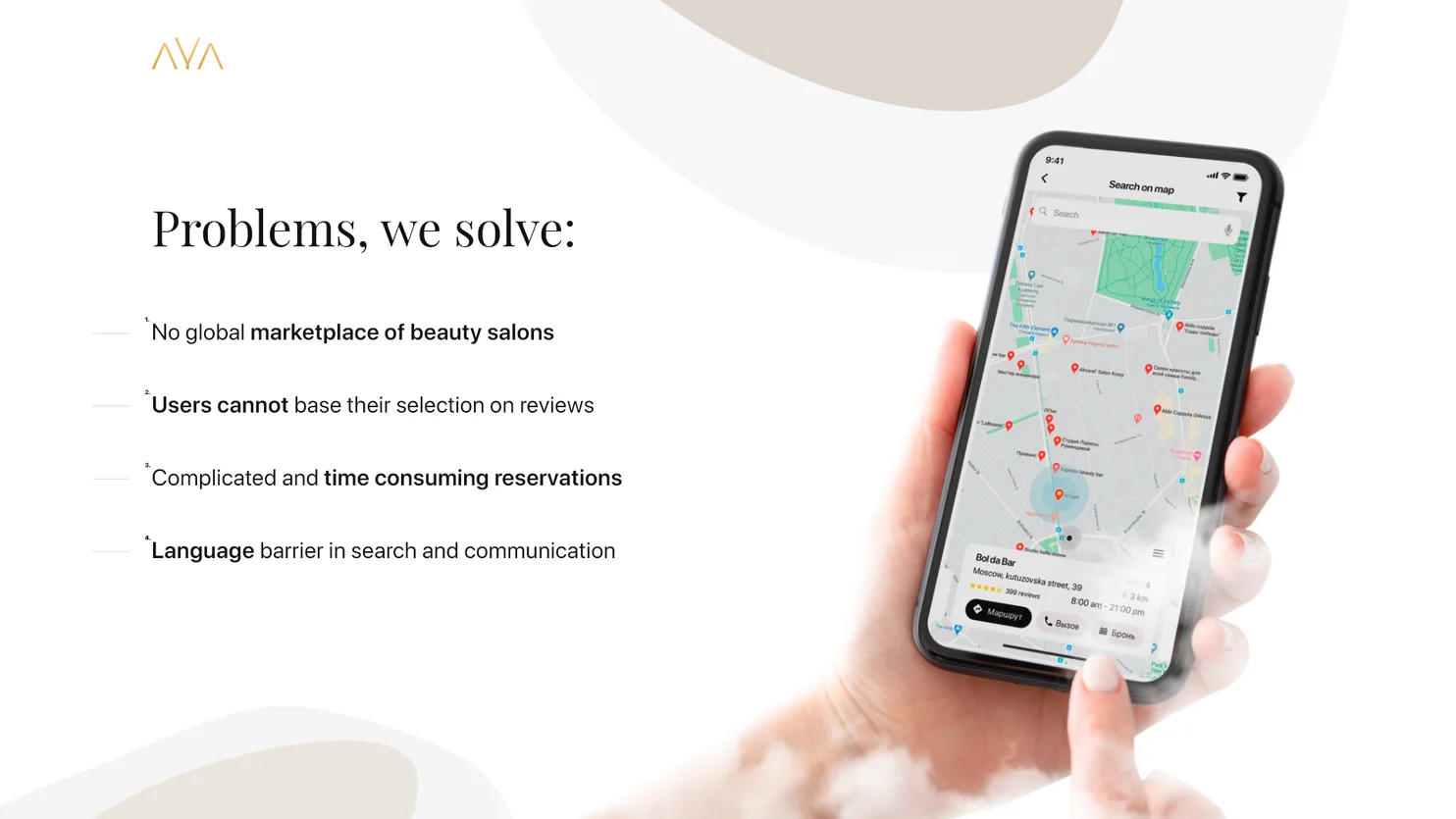
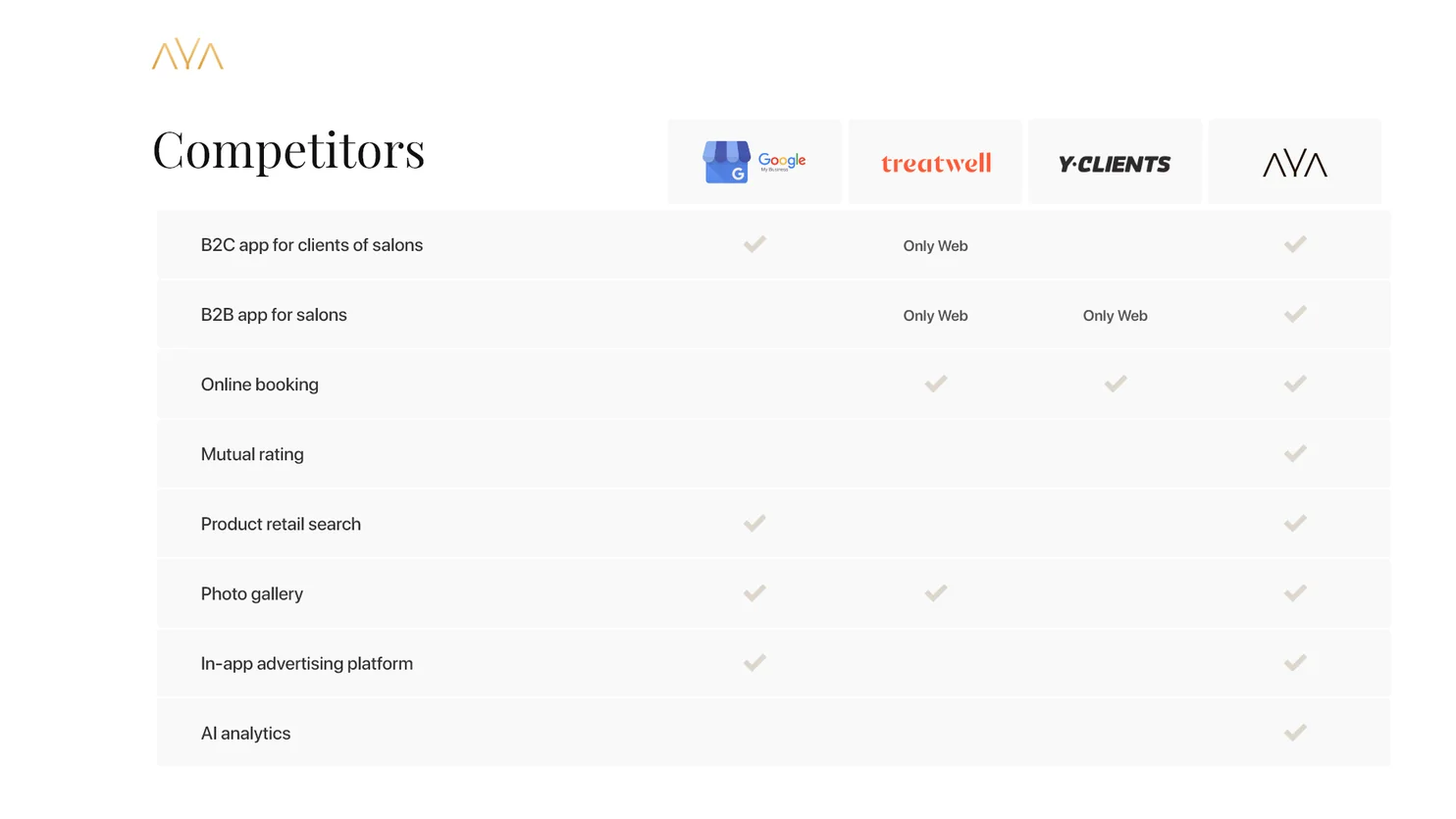
AYA, a booking service for beauty salons, took the same approach: its problems slide lists four problems the product answers and shows a phone with the map search from the app, and a competitors slide sets AYA against other booking services row by row.
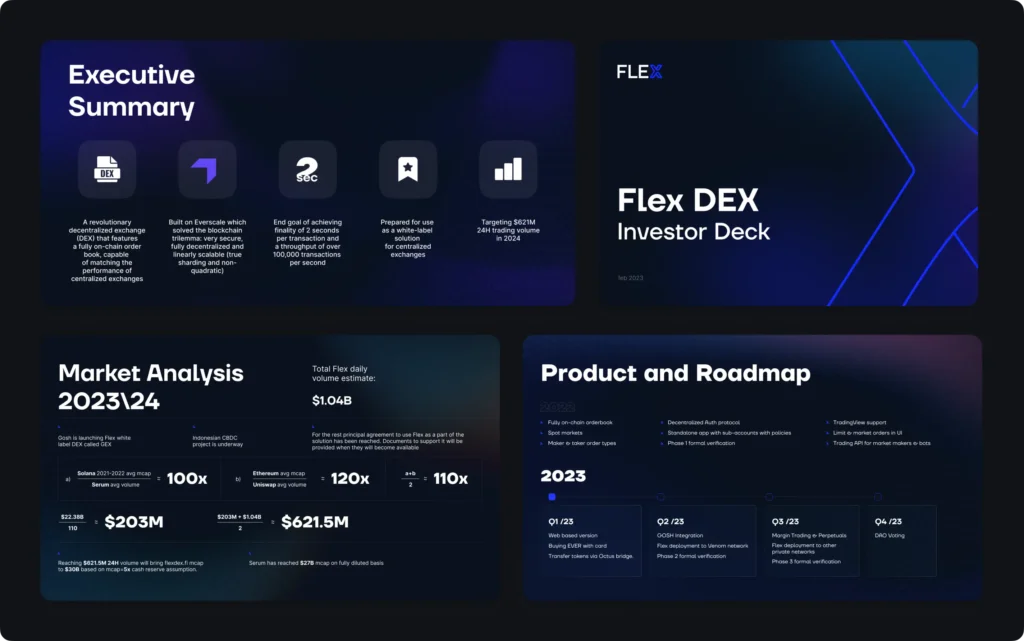
Data is the other gap. In the Flex DEX deck, the Market Analysis slide writes each ratio as a fraction with the result in large type. We chose that over a single headline number because investors check how an estimate is built, and an arithmetic they can follow is more convincing than a figure they have to trust.
Is a pitch deck just a PowerPoint?
No. PowerPoint is one format a deck can live in; the deck itself is the argument: problem, product, market, model, team and the ask. Founders usually need two versions, one to present with fewer words and one to send that reads on its own.
What is the best format for a pitch deck?
Keep an editable source in the tool your team uses, PowerPoint, Keynote, Google Slides or Canva, and send investors a PDF. A PDF looks the same on every screen and cannot be broken by a missing font; a shared link lets you see when the deck was opened. Ask your designer for both.
When do you need professional pitch deck design instead of an AI tool?
Use ChatGPT to get the story and copy into shape, and a generator or template when you need slides today for an internal meeting or a first conversation. Bring in a designer when the deck goes to investors and has to look like the company and product behind it. If you are choosing a studio, the checklist in How to choose a web3 design agency applies to deck work too. See the full decks in the cases AYA, dEquity and Flex, or our pitch deck design page.
Key takeaways
- ChatGPT writes a solid first draft of a deck, and its PowerPoint add-in builds editable slides, but every number and the visual system stay on the founder.
- Generators and templates are fast for internal or early meetings; a deck for investors should look like the company and show the real product.
- Keep an editable source and send investors a PDF.
Frequently asked questions
Can ChatGPT create a pitch deck?
Yes, as a first draft. It can propose the slide order, write headlines, slide text and speaker notes, and with OpenAI's ChatGPT for PowerPoint add-in it can build editable slides from your source material. Your figures, product screens and brand still have to come from you.
Does Canva do pitch decks?
Yes. Canva has a large library of editable pitch deck templates that follow the usual structure of problem, solution, market and team, some with sample charts. Some templates are marked Pro, and the template's look still has to be replaced with your own brand.
Which AI is best for pitch decks?
It depends on the job. ChatGPT is best at structure and copy, Gamma at turning text into laid-out pages quickly, Canva at editing a ready template. None of them knows your numbers, so whichever you use, check every figure before sending.
Should I send my pitch deck as a PDF or a link?
A PDF is the safest default: it looks the same on every screen and does not depend on fonts or software. A shared link that shows when the deck was opened is useful for follow-ups. Many founders keep the editable file for themselves and send the PDF.
Is Google Slides fine for a pitch deck?
Yes, if your team edits there. The tool matters less than the content and design; what investors receive should be a clean export, usually a PDF, so that layout and fonts stay exactly as designed.